Honeywell Home T6 Pro Programmable Thermostat
The T6 Pro offers professional installers a simple, yet powerful, programmable thermostat solution. This guide details installation, wiring, and system testing procedures for optimal performance.
Professional Install Guide 33-00294-07 PM provides detailed instructions for the TH6320ZW2003 model, ensuring a smooth and efficient setup process.
Dimensions are 4.09 x 4.09 x 1.06 inches.
Overview of the T6 Pro
The Honeywell Home T6 Pro Programmable Thermostat represents a significant advancement in home comfort control, designed with both the homeowner and professional installer in mind. This thermostat isn’t just about setting temperatures; it’s about creating a personalized and efficient heating and cooling experience. The T6 Pro boasts a sleek, modern design that seamlessly integrates into any home décor, while its intuitive interface ensures ease of use for end-users.
For installers, the T6 Pro simplifies the installation process with features like a universal wiring platform and compatibility with a wide range of HVAC systems. The Professional Install Guide (33-00294-07 PM) provides comprehensive instructions, streamlining setup and minimizing troubleshooting. Key features include programmable schedules, remote access via the Honeywell Home app, and smart alerts to optimize energy usage and maintain consistent comfort.
The T6 Pro Z-Wave model (TH6320ZW2003) further enhances functionality with Z-Wave connectivity, allowing integration into smart home ecosystems. This thermostat is a robust and reliable solution for modern homes, offering a blend of convenience, efficiency, and control.
Package Includes
Upon opening the Honeywell Home T6 Pro package, installers will find all the necessary components for a standard installation. The core of the package is, of course, the T6 Pro Thermostat itself (model TH6320ZW2003 for the Z-Wave version). Accompanying the thermostat is a dedicated wall plate, crucial for mounting and establishing the electrical connections.
Essential for a secure and neat installation, the package includes mounting screws and wall anchors, ensuring compatibility with various wall types. A detailed Installation Guide (33-00294-07 PM) is provided, offering step-by-step instructions and wiring diagrams. For systems requiring it, a wire label kit is included to facilitate easy identification during the wiring process.
Furthermore, the package contains a quick start guide for homeowners, enabling them to quickly understand the thermostat’s basic functions. While a Honeywell Standard Installation Adapter (J-Box) may be purchased separately, it is not included in the standard package. This comprehensive set of components ensures a smooth and professional installation experience.
Optional Cover Plate Installation
For aesthetic purposes, or to conceal existing wall imperfections, an optional cover plate can be installed over the Honeywell Home T6 Pro thermostat. This process requires careful attention to ensure proper fit and functionality. The installation begins by securely mounting the thermostat and wall plate following the standard mounting procedures outlined in the guide.
When utilizing the UWP Mounting System, installers should note a slight adjustment: use 2 screws rather than 3 for optimal cover plate compatibility. Align the cover plate with the mounted thermostat, ensuring it sits flush against the wall. Secure the cover plate using appropriate screws, avoiding over-tightening which could damage the thermostat or wall plate.
It’s crucial to verify that the cover plate does not obstruct the thermostat’s display or buttons. Proper installation enhances the overall appearance and provides a finished look. Always refer to the installation guide for specific cover plate models and compatibility information.
UWP Mounting System Installation
The Universal Wall Plate (UWP) Mounting System simplifies the installation process of the Honeywell Home T6 Pro thermostat, offering compatibility with a wide range of wall configurations. Begin by disconnecting power to the heating and cooling system at the breaker. Remove the existing thermostat baseplate, carefully labeling the wires for easy reconnection.
Position the UWP against the wall, ensuring it is level using a spirit level. Mark the screw holes and drill pilot holes if necessary, depending on the wall material. Secure the UWP to the wall using the provided screws. Ensure the plate is firmly attached and can support the weight of the thermostat.
Connect the labeled wires to the corresponding terminals on the thermostat baseplate, referencing the wiring diagrams in the installation guide. Carefully snap the thermostat onto the UWP, verifying a secure connection. Finally, restore power to the system and proceed with system testing.
Wiring Terminal Designations
Understanding the T6 Pro’s wiring terminal designations is crucial for correct installation. R designates the 24VAC power source, while C is the common (neutral) wire – often required for reliable operation. W controls heating, Y cooling, and G the fan.
For heat pump systems, Y functions as the compressor, and an additional terminal, O/B, reverses the valve for heating or cooling. The K terminal can substitute for Y and G on conventional systems, providing fan and compressor control.
When using a fifth wire, the K terminal is recommended. Ensure proper wire connections, avoiding loose connections or shorts. Incorrect wiring can damage the thermostat or the HVAC system. Always consult the wiring diagram provided in the Professional Install Guide (33-00294-07 PM) for specific system configurations. Double-check all connections before restoring power.
Wiring Conventional Systems: Forced Air and Hydronics
Wiring the Honeywell Home T6 Pro to conventional forced air and hydronic systems requires careful attention to terminal designations. For standard forced air systems, connect R to 24VAC power, W to the heating control wire, Y to the cooling control wire, and G to the fan control wire. A common (C) wire is highly recommended for consistent power.
Hydronic systems utilize similar connections, with W controlling the zone valve or circulator pump. If a fifth wire is available, utilize the K terminal in place of Y and G for enhanced control.
Always refer to the system’s wiring diagram and the T6 Pro Professional Install Guide (33-00294-07 PM) for specific instructions. Ensure wires are securely connected to prevent shorts or interruptions. Proper wiring is essential for optimal system performance and thermostat functionality.
Thermostat Mounting
Thermostat mounting for the Honeywell Home T6 Pro utilizes the Universal Wall Plate (UWP) mounting system. Begin by removing the base from the thermostat. Secure the UWP to the wall using the provided screws, ensuring it’s level for a professional appearance.
For existing installations, a Honeywell Standard Installation Adapter (J-Box) may be necessary. When using the UWP system, use 2 screws rather than 3 for secure attachment. Once the UWP is mounted, connect the wires according to the wiring diagram, ensuring each connection is firm.
Carefully align the thermostat base with the UWP and snap it into place. Finally, attach the thermostat faceplate. Verify the unit is securely mounted and all wiring is concealed for a clean installation.
System Operation Settings
System Operation Settings on the Honeywell Home T6 Pro allow for customized comfort control. Access these settings through the thermostat’s Menu. Within the Menu, navigate to Fan Mode, offering options like Auto and On. Fan Auto operates the fan only during heating or cooling cycles, while Fan On provides continuous air circulation.
Mode Settings – choose between Heat, Cool, and Auto. Heat activates the heating system, Cool activates the cooling system, and Auto intelligently switches between heating and cooling to maintain the set temperature.
Wake and Away Programming enables scheduling for energy savings and comfort. Set specific temperatures for Wake periods when occupants are active and Away periods when the home is unoccupied. These settings optimize energy usage based on your daily routine.
Installer System Test
Installer System Test is a crucial step post-installation of the Honeywell Home T6 Pro. This verifies correct wiring and system functionality before handing over to the homeowner. Begin by cycling through heating and cooling modes, observing the system’s response. Confirm the furnace or air conditioner activates appropriately in each mode.
Check fan operation in both Auto and On settings. Ensure the fan starts and stops correctly with the heating/cooling cycles in Auto, and runs continuously in On. Verify the thermostat display accurately reflects the current temperature and responds to setpoint adjustments.
Pay close attention to any error messages or unusual behavior. Consult the troubleshooting section of the Professional Install Guide (33-00294-07 PM) for assistance. A successful system test guarantees optimal performance and homeowner satisfaction.
Specifications
The Honeywell Home T6 Pro Programmable Thermostat (TH6320ZW2003) boasts several key specifications for professional installers. Its physical dimensions are 4.09 x 4.09 x 1.06 inches, ensuring compatibility with standard wall plates. The thermostat supports 24VAC power, common in most HVAC systems.

It’s designed for use with forced air and hydronic systems, offering versatile application. The T6 Pro features a large, backlit LCD screen for easy readability. Temperature control accuracy is ±1°F, providing precise comfort management. It supports multiple programming schedules, allowing customized settings for various lifestyles.
Connectivity includes Z-Wave technology for smart home integration. Operating temperature range is 32°F to 104°F (0°C to 40°C), and storage temperature is -4°F to 140°F (-20°C to 60°C). Refer to the Professional Install Guide (33-00294-07 PM) for a complete list of compatible systems and detailed technical information.
Troubleshooting
If the T6 Pro thermostat fails to power on, verify the 24VAC power supply and wiring connections. Ensure the common (C) wire is correctly connected, as it’s crucial for operation. For no heating or cooling, double-check the wiring terminal designations and system configuration settings within the thermostat menu.
If the display is blank, confirm the thermostat is properly seated on the mounting plate and the batteries (if applicable) are fresh. For Z-Wave connectivity issues, ensure the Z-Wave network is functioning correctly and the thermostat is within range of the hub. Incorrect temperature readings may indicate a faulty temperature sensor; contact Honeywell support.
Refer to the Professional Install Guide (33-00294-07 PM) for a comprehensive troubleshooting guide and detailed error code explanations. If problems persist, consult a qualified HVAC technician for assistance. Always prioritize safety and disconnect power before performing any troubleshooting steps.
REFERENCE: Honeywell Home T6
For comprehensive information regarding the Honeywell Home T6 Pro Programmable Thermostat, refer to the official Honeywell Home resources. The Professional Install Guide (document number 33-00294-07 PM) is an invaluable resource, detailing installation procedures, wiring diagrams, and system configuration options.
This guide covers the TH6320ZW2003 model and provides step-by-step instructions for both conventional and heat pump systems; Additional support and documentation can be found on the Honeywell Home website, including FAQs, troubleshooting guides, and software updates for Z-Wave enabled models.
The website offers access to detailed specifications, compatibility information, and warranty details. Remember to always consult the official documentation for the most accurate and up-to-date information regarding your T6 Pro thermostat. Proper installation and configuration are essential for optimal performance and energy savings.
T6 Pro Z-Wave Programmable Thermostat ⸺ Model Numbers
The Honeywell Home T6 Pro Z-Wave Programmable Thermostat is available in several model numbers, primarily the TH6320ZW2003. This specific model is designed for professional installation and offers seamless integration with Z-Wave smart home networks.
Understanding the model number is crucial when referencing installation guides and support documentation. The Professional Install Guide (33-00294-07 PM) specifically addresses the TH6320ZW2003, providing detailed wiring diagrams and configuration instructions.
Ensure compatibility with your existing HVAC system before installation. The Z-Wave functionality allows for remote control and automation, enhancing convenience and energy efficiency. Refer to the Honeywell Home website for a complete list of compatible Z-Wave hubs and devices. Proper installation, guided by the official documentation, is key to unlocking the full potential of your T6 Pro thermostat.
TH6320ZW2003 Dimensions
Precise dimensions are critical for a successful Honeywell Home T6 Pro (TH6320ZW2003) installation, ensuring a proper fit and aesthetic integration with your wall. The thermostat measures 4.09 inches in width and 4.09 inches in height, with a depth of 1.06 inches.
These measurements are essential when planning for wall plate mounting and verifying clearance around existing wiring or obstructions. Before removing your old thermostat, confirm that the T6 Pro’s dimensions will accommodate the available space.
Consider the dimensions when utilizing the optional cover plate, as it may slightly increase the overall footprint. Accurate measurement and planning will contribute to a clean, professional installation. Refer to the Professional Install Guide (33-00294-07 PM) for detailed diagrams and mounting recommendations.
Menu Navigation
The Honeywell Home T6 Pro features an intuitive menu system for customized control. Accessing the menu allows adjustments to Fan Mode, Mode Settings (Heat, Cool, Auto), and personalized scheduling with Wake and Away Programming.
Navigating the menu is straightforward, utilizing the thermostat’s interface to cycle through options. Within Fan Mode, users can select Auto, On, or Circulate. Mode Settings enable selection between Heating, Cooling, or Automatic operation based on temperature demands.
The Wake and Away programming feature allows for energy-saving temperature setbacks during periods of inactivity. Detailed instructions for menu navigation and programming are available in the Professional Install Guide (33-00294-07 PM). Mastering the menu unlocks the full potential of the T6 Pro, optimizing comfort and efficiency.
Fan Mode Settings
The Honeywell Home T6 Pro thermostat offers three distinct Fan Mode settings, providing flexible control over air circulation. Selecting “Fan Auto” operates the fan only during heating or cooling cycles, maximizing energy efficiency and maintaining consistent temperatures.
Choosing “Fan On” continuously runs the fan, regardless of heating or cooling demand, promoting even temperature distribution and improved air quality. This setting is beneficial for consistent airflow and filtering. The third option, “Fan Circulate”, intermittently runs the fan for a predetermined period, ensuring air mixing without constant operation.
These settings are easily adjusted through the thermostat’s menu. Refer to the Professional Install Guide (33-00294-07 PM) for detailed instructions on accessing and modifying Fan Mode. Proper fan mode selection optimizes comfort and energy savings based on individual preferences and environmental conditions.
Mode Settings (Heat, Cool, Auto)
The Honeywell Home T6 Pro thermostat provides three primary operating Mode Settings: Heat, Cool, and Auto. Selecting “Heat” activates the heating system to maintain the desired temperature, ideal for colder climates. Conversely, “Cool” engages the cooling system to provide comfort during warmer periods.
The “Auto” mode intelligently switches between heating and cooling to maintain the setpoint temperature, offering year-round comfort without manual adjustments. This mode requires both heating and cooling systems to be properly configured and functional.
Accessing and changing these modes is straightforward through the thermostat’s intuitive menu system. Consult the Professional Install Guide (33-00294-07 PM) for specific navigation instructions. Correctly configuring the operating mode ensures the T6 Pro efficiently manages your home’s climate control, optimizing both comfort and energy consumption.
Wake and Away Programming
The Honeywell Home T6 Pro thermostat’s Wake and Away Programming feature allows for customized temperature settings based on your daily schedule, maximizing comfort and energy savings. “Wake” settings define the desired temperature when you typically wake up, providing a comfortable start to your day.
“Away” settings lower the temperature while you’re absent, reducing energy consumption during unoccupied periods. These settings can be programmed for different days of the week, accommodating varied schedules. The Professional Install Guide (33-00294-07 PM) details the step-by-step process for setting up these programs.

Utilizing Wake and Away programming ensures the thermostat automatically adjusts to your lifestyle, eliminating the need for manual adjustments and optimizing energy efficiency. Properly configured schedules contribute to lower utility bills and a consistently comfortable home environment.
VW T6 Forum & Community
The VW T6 Forum serves as a central hub for Volkswagen Transporter T6 owners and enthusiasts, offering a wealth of information and support. This vibrant online community provides a platform for advice, event announcements, campervan modifications, and general discussions related to the T6 model.
Members frequently share experiences, troubleshooting tips, and insights into vehicle maintenance, including discussions relevant to various aspects of ownership. While focused on the vehicle itself, the forum can indirectly assist with related installations, such as understanding electrical systems or accessing wiring diagrams that might be helpful during thermostat setup.
As of May 18, 2025, the forum remains “Home to the largest Volkswagen Transporter T6 community.” It’s a valuable resource for owners seeking peer-to-peer assistance and a deeper understanding of their vehicle. The forum is a great place to find information on the T6.1 front facelift.
T6 Service Intervals & Inspections
Understanding Volkswagen T6 service intervals and inspection regimes is crucial for maintaining vehicle reliability, though seemingly unrelated to thermostat installation, it highlights the overall vehicle care mindset. Volkswagen offers both fixed and flexible service options, often referred to as “Longlife” servicing.
Flexible service regimes adjust intervals based on driving conditions and vehicle usage, monitored by the onboard computer. These regimes can extend service periods compared to fixed intervals, but require careful consideration of driving style and environment. As of November 30, 2018, information regarding these regimes was being compiled for easy future reference.
Regular inspections are vital for identifying potential issues before they escalate. While not directly impacting thermostat installation, a well-maintained vehicle electrical system ensures a stable power supply, crucial for accurate thermostat operation. Proper vehicle upkeep demonstrates a commitment to preventative maintenance, extending the lifespan of all components.
Flexible Service Regimes (Longlife)
Volkswagen’s Longlife service regimes for the T6 represent a dynamic approach to vehicle maintenance, adapting to actual driving conditions rather than adhering to strict mileage or time-based intervals; This system relies heavily on sensors and the vehicle’s onboard diagnostic system to assess component wear and fluid degradation.
The Longlife service interval can potentially extend beyond traditional fixed intervals, offering cost savings and reduced downtime. However, it’s crucial to understand that suitability depends on driving style and typical journey lengths. Frequent short trips or harsh driving conditions may necessitate more frequent servicing, even with Longlife enabled.
While seemingly unrelated to thermostat installation, a properly functioning vehicle diagnostic system is essential for accurate readings and overall system health. A stable electrical system, maintained through regular servicing, ensures reliable thermostat operation and accurate temperature control; The source of this information dates back to November 30, 2018.
Automatic Transmission Considerations for T6
When transitioning to a T6 with an automatic transmission, particularly after driving a manual, understanding potential differences is crucial. As noted on December 5, 2024, a driver who previously injured their knee found an automatic transmission significantly more comfortable, eliminating the strain of manual operation.
While seemingly unrelated to thermostat installation, a smoothly functioning vehicle relies on a stable electrical system. The automatic transmission control module (TCM) requires consistent power to operate correctly. Fluctuations or interruptions in the electrical supply could potentially impact transmission performance and, indirectly, the vehicle’s overall system operation.
Ensure the vehicle’s battery is in good condition and that all electrical connections are secure. A well-maintained electrical system supports accurate temperature readings and reliable thermostat function. Proper vehicle operation contributes to a comfortable driving experience, regardless of transmission type.
T6.1 Front Facelift Guide (with Parking Sensors & LED Headlights)
Although seemingly unrelated to thermostat installation, a comprehensive vehicle modification like a T6.1 front facelift – incorporating parking sensors and LED headlights – necessitates a thorough understanding of the vehicle’s electrical system. A guide, initiated on October 16, 2023, details this conversion process.
Adding new electrical components, such as sensors and LED headlights, introduces additional load and wiring complexity. Ensuring the vehicle’s electrical capacity can handle these additions is vital. Any electrical interference or instability could potentially affect the thermostat’s operation, leading to inaccurate readings or communication issues.

Carefully follow the wiring diagrams and instructions provided with both the facelift kit and the thermostat. Proper grounding and secure connections are paramount. A stable electrical environment is essential for the reliable performance of all vehicle systems, including climate control managed by the T6 Pro.

Honeywell Standard Installation Adapter (J-Box)
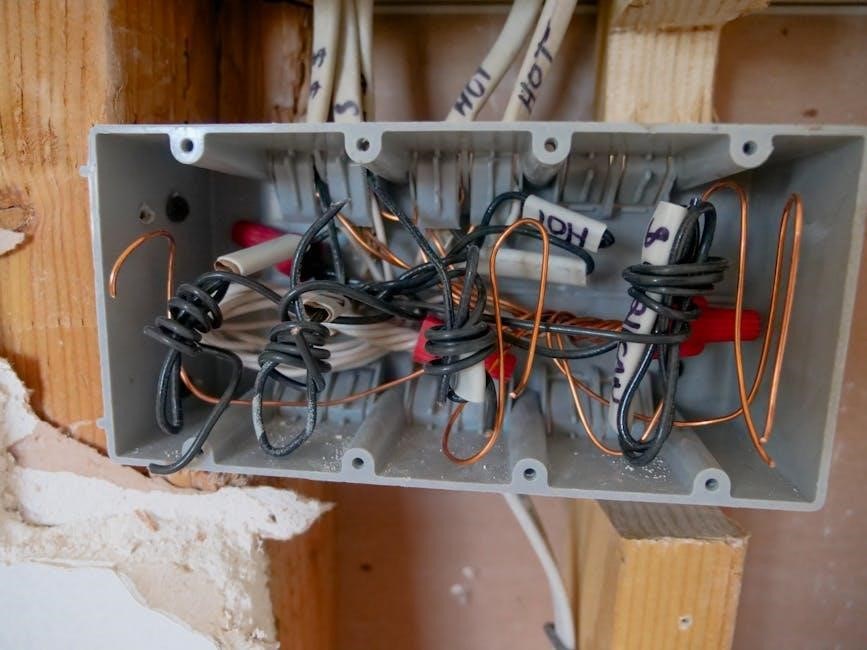
The Honeywell Standard Installation Adapter, often referred to as a J-Box, is a crucial component when replacing older thermostats with the T6 Pro. It facilitates compatibility with existing wall wiring, streamlining the installation process and minimizing the need for extensive rewiring.
The adapter ensures a secure and reliable connection between the thermostat and the HVAC system. It’s particularly useful in situations where the existing wiring doesn’t directly align with the T6 Pro’s terminal designations. Proper installation of the J-Box is fundamental for accurate system control.
Refer to the Professional Install Guide (33-00294-07 PM) for detailed instructions on J-Box installation. Ensure all wiring connections are tight and secure before mounting the thermostat. The adapter provides a clean and organized wiring hub, contributing to a professional and long-lasting installation.